Baldwin Aviation
Baldwin Aviation Integration
The enhances integration with Baldwin allows users and crew to seamlessly access their Baldwin SMS from inside BART.
Setup
- Navigate to Gear> All Settings - Integrations
- On the Integrations tab, click on Settings for Baldwin SMS
3. Enter in API Key and Subdomain and Username (please request these items from Baldwin)
4. To open Baldwin directly from within a BART trip, enter in a Username and Password with access to Baldwin
5. Add in aircraft you would like included in the push to Baldwin.
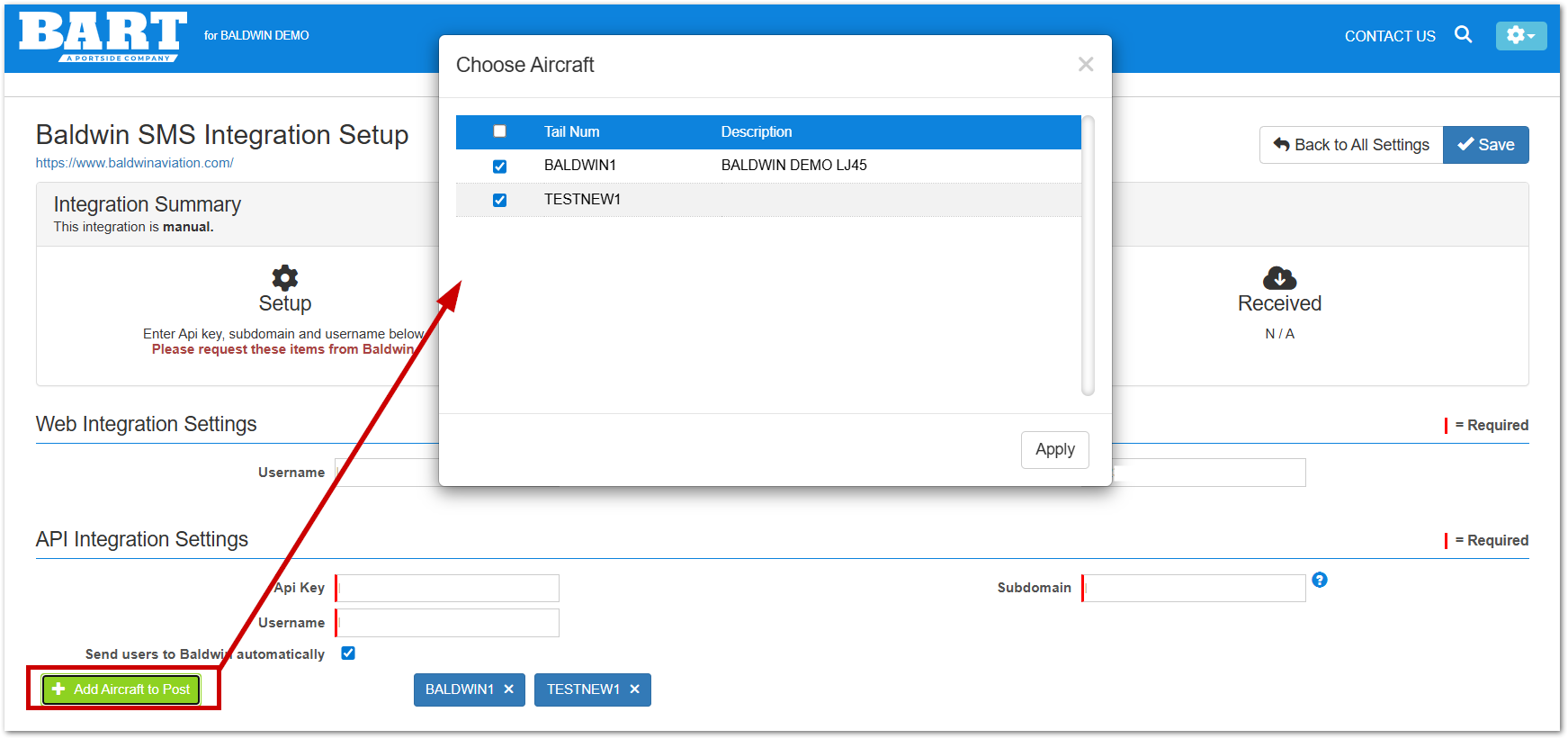
6. To automatically sync/send users to Baldwin, check the "Send users to Baldwin automatically" box.
7. Click Save
Setup/Send Aircraft
1. Navigate to Schedules > Aircraft > All Aircraft
2. Edit the aircraft
3. Enter in a serial number on the "other" tab
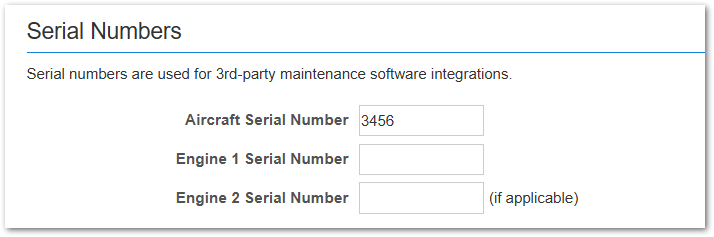
4. Save the aircraft
Sending to Baldwin - Basic leg details and crew names will be sent to Baldwin
- Legs and changes to legs are sent to Baldwin automatically on save.
- Alternatively, users can send manually from the Trip Manifest view.
- Click the menu on the left side of the leg
- Click the Baldwin SMS button
Open Trip in Baldwin
Via Web
To open a trip directly in Baldwin
- Click the leg menu > Baldwin SMS (leg must have been already sent to Baldwin).
- Enter in username and password (this is only required the first time)
- Baldwin will open in a new window
Via CoPilot
- In CoPilot, expand the details view of the leg
- Click Baldwin SMS > View Trip
- Type in your Baldwin Crew Username and Password (you only have to do this once)
- Baldwin will open directly to the leg
- From here, you can select the required forms and submit
Related Articles
Release Notes - May 12, 2026
Release Notes: Version 2026.5.0 May 12, 2026 Whiteboard Users can “freeze” or pin the Crew section at the top of the Whiteboard so that it remains visible while scrolling through trips. Users can click on on an aircraft, and the crew section will ...Feature Highlight: Pax Portal
Feature Highlight: Pax Portal. Pax Portal reduces availability questions by extending the aviation schedule to your team while keeping the CEO's schedule private. Have confidence that trip requests have the required information all in a simple and ...Legacy Suite Training Videos
Please see below for all the links to the legacy Suite Training Videos. CRM Adding a Company Logo Disclaimers Getting Acquainted with CRM Invoicing Managing Aircraft Managing Clients Managing Tasks Quoting Saving Quotes to Scheduling Scheduling ...Release Notes - Nov 12, 2025
Release Notes – Version 25.11.0 Improvements Schedules: Set company-wide default Passenger Purpose and Charge Method values to streamline trip creation and ensure consistent reporting (KB Article). Users are now able to select an option to show Trip ...Release Notes - January 6, 2026
Release Notes – Version 26.1.0 Branding New BART Logo We’ve updated our logo to highlight Portside and BART, reflecting the strength, stability, and long-term investment behind our platform. Our product, team, and commitment to our customers remain ...